Guides
Part of Setup and troubleshooting: label what gets touched in a panic
Setup and troubleshooting reviews: how to check your install
Use setup and troubleshooting reviews to test a new install, record pass/fail evidence, trace faults, keep an as-built record, and repeat a short annual check.
The most useful setup and troubleshooting reviews of a network are not somebody else's opinion of a product. They are your own review of the install you just paid for, written down while the installer is still in the building.
This page is that review, and the shorter one to repeat every year.
What to take away
- Review the install against what you asked for, on the day, with a written list. Anything unresolved becomes a punch list with names and dates.
- Keep an as-built record. Photographs, labels, addresses and figures. It is worth more than any support contract when something breaks.
- Repeat a short version annually, because networks driftcables get borrowed, rules get added, and batteries age.
The day-one review
Walk the install with whoever did the work. For each check, record what you tested, the result, and the written requirement or agreed scope you tested it against. Keep the readings and test conditions so you can compare them with a later review.
Day-One Acceptance Checklist
- Portsevery paid position carries traffic
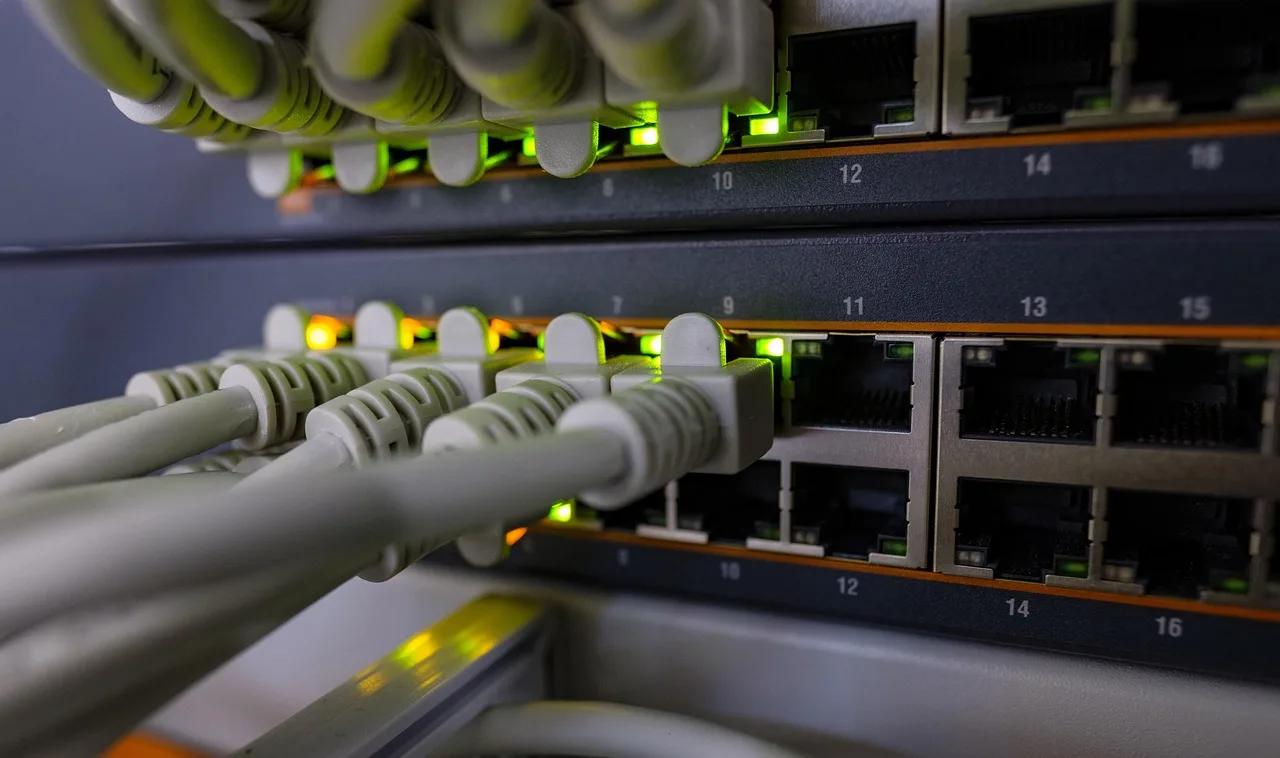
- Labelingboth cable ends and panel
- Figuresdownload and upload at router and desk
- Wirelesscoverage where people actually sit
- Callsreal call while upload is saturated
- Powerrouter and switch survive plug pull
- Enclosureventilated, tidy, not a shelf
| Item | What you are checking | Fail means |
|---|---|---|
| Ports | Every position you paid for carries traffic | A termination or a run to redo |
| Labeling | Both ends of every cable, and the panel | An hour now saves a day later |
| Figures | Download and upload at the router, and at a desk | A gap between the two is inside the building |
| Wireless | Coverage where people actually sit | Access point placement, not a bigger antenna |
| Calls | A real call while the upload is saturated | Priority is not configured |
| Power | Router and switch survive a pull of the plug for the stated time | Battery sizing or a missing feed |
| Enclosure | Ventilated, tidy, and not doubling as a shelf | It will be worse in a year |
Troubleshooting a failed check
- Record the symptom, affected room or jack, whether the device is wired or wireless, and whether the issue affects one user or several. Note when it occurs and any status lights or messages.
- Establish a wired baseline by connecting a laptop to a router LAN port. Run Ookla Speedtest and record download and upload results; repeat at the desk using the same laptop, cable, and test service. Use
iperf3between two devices to check local network throughput, not internet speed. - Compare the results with the service commitment in the order or agreement and the install scope you accepted. There is no universal download or upload pass threshold for every service. If the agreement gives no measurable target, record the results and ask the provider to confirm the acceptance basis in writing rather than inventing one.
- If the router-side test misses the written commitment, check the modem or ONT status and the provider’s outage information, then contact support. Give support the recorded tests and ask for a case number, escalation route, next update, and any repair commitment stated in your agreement.
- If the router-side test passes but the desk test fails, check the cable and switch-port map; use an Ethernet cable tester if available. If wired service works but wireless service does not, compare a test near the access point with one in the affected area and check that the access point is powered and connected.
- Use
pingto check reachability to the local gateway and an external destination, andtraceroute(ortracerton Windows) to see where a route may be failing. Record latency and packet loss when shown. Treat a failed external ping as a clue, not proof of an outage, because some destinations block ping. - If voice is part of the install, make a call while the connection is busy and check both directions of audio. If the call degrades only under load, record the concurrent activity and include it in the support report.
A pass means the installed ports, coverage, and service meet the written scope and any measurable commitment in the order or agreement. Keep the observed figures even when the agreement does not specify a threshold; they provide a baseline for the next review.
Anything that fails goes on a punch list with a name and a date. A list with neither is a wish.
The as-built record
- A network diagram showing the service handoff, router, switches, access points, and connections.
- A cable and port map linking labeled wall jacks to switch ports.
- An equipment inventory with each device's role, model, serial number, and physical location.
- An IP plan documenting static addresses, DHCP scopes, reservations, and VLANs, if used.
- Current configuration backups for the router, firewall, switches, and wireless access points.
- Provider and circuit detailsservice address, circuit or account identifier, support contact, and contracted service level.
- Acceptance test recordsdate, device and connection tested, test method, results, and the written requirement used to assess each result.
- For structured cabling, record the standard the installer says the work follows; TIA-568 cabling standards are used by nearly all voice, video, and data networks.
Six-Part As-Built Record
- Photographs of demarc, enclosure, cable entry
- Panel and port labeling scheme
- Public address, fixed or shared
- Acceptance test figures with date and time
- Equipment list with models and backup locations
- Who did the work and their responsibilities
That record turns a future fault into a comparison rather than an investigation. It is also what a new person needs on their first day, and the reason setup and troubleshooting treats documentation as part of the install, not as paperwork after it.
The annual review
Twenty minutes, once a year, on a quiet afternoon:
- Pull the plug and time how long the battery holds; compare the result with the runtime your continuity plan requires. If you have not set a runtime requirement, define one for the equipment that must stay online before treating the test as a pass. Batteries lose capacity quietly and fail on the day you needed them. NIST SP 800-34 Rev. 1, Contingency Planning Guide for Federal Information Systems, can help frame the continuity questions behind how long your critical equipment needs to stay powered.
- Re-run the acceptance figures using the same test method and conditions, and compare them with the original results and any written service commitment. A slow decline is easier to argue about with two dated measurements.
- Read the firewall rules and remove the ones added for a project that ended. NIST SP 800-41 Rev. 1, Guidelines on Firewalls and Firewall Policy, is a reference for firewall policy and management; check that each rule still has a business purpose.
- Check what is plugged into the switch that nobody can account for.
- Confirm the account contacts are people who still work here. Keep the current details with the business phone numbers record too.
Reviewing suppliers rather than products
Review the installer and provider against evidence, not general impressions. Keep the quote and change orders, note whether the work matched the agreed scope, save acceptance results, and record when faults were reported, who responded, and what was done. Compare any response or repair commitment with the terms in your agreement; do not treat a product’s performance in one building as a promise about another.
Common questions
Is a formal acceptance test worth it for four desks?
Yes. Check the ports, record download and upload measurements against the written service commitment, make a call under load, and test the power backup. Keep the test method and results so a failure can be described and followed up.
The installer says it is all fine. Is that enough?
Their test proves their work at that moment. Yours proves it does what you asked for, a different question.
How do we review a network we inherited?
Start with the as-built record you do not have. Build it once, from the demarcation point outward, and the first fault will be shorter. If the provider was inherited too, provider comparisons is where that gets revisited.
What if the punch list is never finished?
Check the contract’s acceptance and payment terms before withholding payment. Send the punch list in writing, identify each unresolved item, and request a dated correction plan. Do not assume an unfinished item automatically permits withholding payment.