Guides
Part of Making sense of VoIP systems: live or die on the network path
VoIP systems setup: cabling, priority, power, NAT
VoIP systems setup is network work, not phone work. Cabling, VLAN priority, PoE power and NAT decide call quality, and each one fails in a way you can hear.
Nobody sets up a phone system any more. VoIP systems setup is network work, not phone work: you set up a network and put phones on it. The phones themselves speak SIP to set up a call and RTP to carry the audio, and every fault that follows sounds like a phone problem and is not.
What to take away
- Wire the phones with Cat 5e or Cat 6. Wireless adds variation in arrival time, and variation is what a listener hears as choppy audio.
- Give voice traffic priority on the switch and the routera voice VLAN and a DSCP marking are how that is done — or a large upload will interrupt every call in the building.
- Power and address translation are the two setup decisions people skip, and they are the two that produce faults nobody can explain later.
The cabling, and why the twists matter
A twisted pair works because its two wires twist at a controlled rate, so interference hits both equally and cancels. Untwist an inch at a socket and you have made an antenna.
This is why a run that tests as connected can still carry errors under load, and those errors reach the far end as lost packets. voip systems sets out what loss does to a call.
Practical rules for the install:
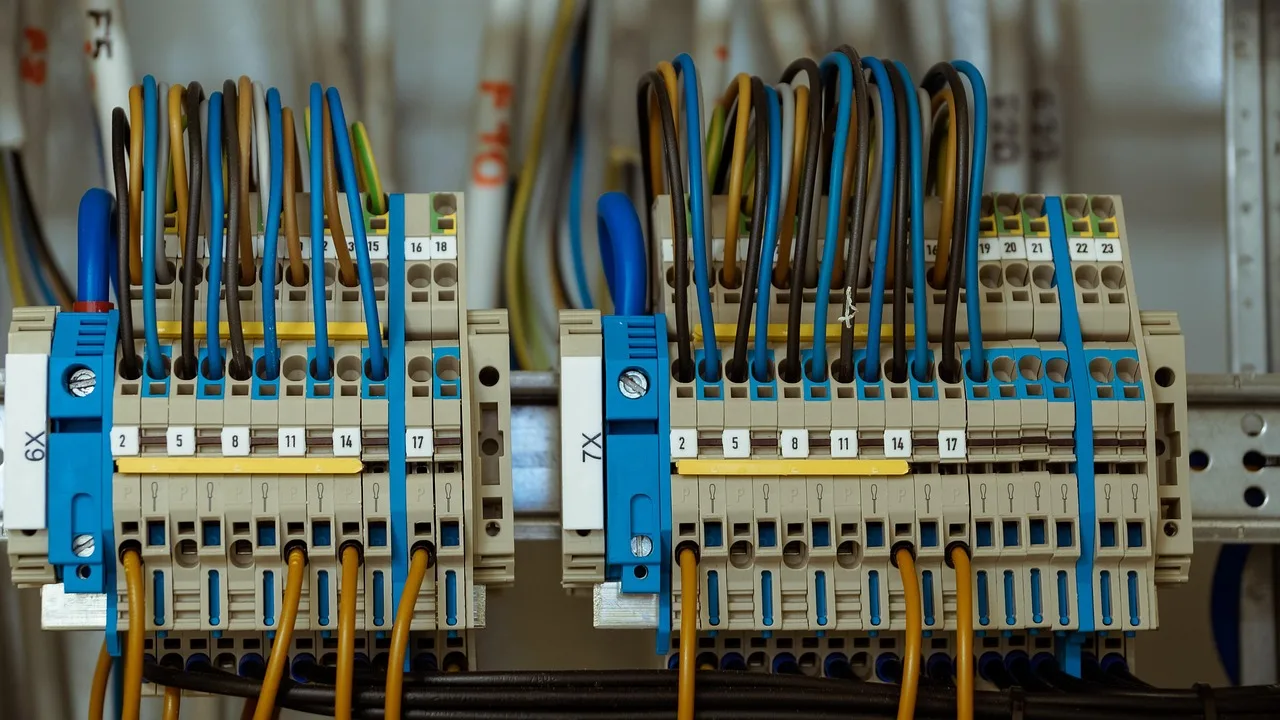
- One dedicated Cat 5e or Cat 6 run per desk position, terminated at a patch panel, tested after termination rather than assumed.
- Keep the untwisted length at each end short. This is workmanship, and it is the difference between a run that passes and one that passes today.
- Keep data runs away from power runs, and cross them at right angles where they have to meet.
- Label both ends. An unlabeled panel costs an hour every time somebody moves a desk, forever.
Priority, and what it is actually protecting
Voice traffic is small, constant and intolerant of delay. Everything else on
Voice priority path
- Phone sends voice traffic to switch
- Switch serves phones ahead of computers
- Router prioritizes voice on upload
- Test call while saturating upload
- If call survives, rule works
Configure priority in two places. A voice VLAN keeps voice and data apart, and a DSCP marking on the voice packets tells each device along the path how to treat them:
Priority
- The switch, so phones are served ahead of computers on the way to the router.
- The router, on the way out, because the upload direction is the narrow one and that is where the queue forms.
Then test it by making a call while deliberately saturating the upload; if the call survives, the rule works.
If it does not, the rule is in the wrong place or the router cannot do it. That is worth knowing on install day, not during a customer call, and what the connection underneath must provide is in business internet.
Power, and what stays up
An internet phone depends on power at the desk, at the switch, at the router,
Power resilience checklist
- Feed phones from switch over same cable
- Check switch power budget against phone count
- Put switch and router on battery
- Test battery by pulling plug
- Decide where calls go when dark
- Confirm emergency call handling with provider
and on a live connection. A traditional line depended on none of that.
- Feed the phones from the switch over the same cablePower over Ethernet, or PoE — and check the switch's total power budget against the number of phones. Budgets run out quietly.
- Put the switch and the router on a battery, size it to a stated number of minutes, and test it by pulling the plug on a quiet afternoon.
- Decide in advance where calls go when the building is dark, and configure it in the provider's routing so it happens without anyone logging in.
- Confirm with your provider how emergency calls are handled on their service, what address is passed, and how it is updated when a phone moves. Under the FCC's 911 rules for interconnected VoIP, the provider must have your registered physical address before service starts and must give you a way to update it when a phone moves; the FCC's guide to VoIP and 911 service explains why the address is a record rather than a fact about the wire. Get the answer from the provider in writing and tell your staff.
Federal preparedness material on power outages is a plain reminder that the street cabinet may be dark too, which is the case your battery does not cover. A cellular fallback is independent of it, and 5G business internet covers how to run one as a second path.
Address translation, quietly
Most connections put your network behind one public address, and some
Address translation troubleshooting
Call connects but one side hears nothing?
Check for and disable SIP helper on router
Check if provider uses shared public address
Two settings cause most of it. Turn off SIP ALG — the routing feature some vendors label a "SIP helper" — because it rewrites voice signaling and usually rewrites it incorrectly. And ask the provider whether your address is shared with other customers, because if it is, inbound calls and remote handsets may need a different approach.
Common questions
Can phones share the same cable as a computer?
They usually can, with the computer plugged into the back of the phone. That makes the phone a single point of failure for the desk. Separate runs are better where the walls allow.
Do we need a separate network for voice?
A separate segment helps: it makes priority simpler and keeps a busy computer away from the phones. It is not required for a small office with a switch that can prioritize.
How much upload does a call need?
Ask your provider for their per-call figure and hold it against the upload you measured at the busy hour, not the one on the contract.
The phones work but the app on mobiles is poor. Why?
The app is on a different network with different variation in arrival time, usually a home connection or a cell. None of your priority rules reach it, and telling that apart from a fault on the system is setup and troubleshooting work.