Rules
Part of Straight talk about business internet, without the sales pitch
4 takeaways on 5g business internet troubleshooting
5G business internet troubleshooting: check 5G radio readings, cell congestion, CGNAT, and power resilience before calling your provider.
For 5G business internet troubleshooting, start with the causes a wired connection does not share: the radio path, capacity changing because of other people, and an address problem that looks like a fault but is not. The wired case is set out in business internet; this one is about what radio adds.
What to take away
- Read the radio figures the router reports, not the indicator lights. Signal strength and signal quality are different readings and can fail differently.
- If the connection is fine at nine and poor at five, the cell is busy. Moving the antenna will not fix it.
- Many cellular services use a shared public address, which can break inbound connections. That is a design choice, not a fault, and it has a different fix.
- Plan for power lossa cellular link survives a local outage only if the equipment at your end has power.
Start with the radio figures
Every cellular router shows a set of readings. Two of them matter, and they
Diagnose radio readings
Low strength, decent quality?
Move antenna, try external
Good strength, poor quality?
tell you different things:
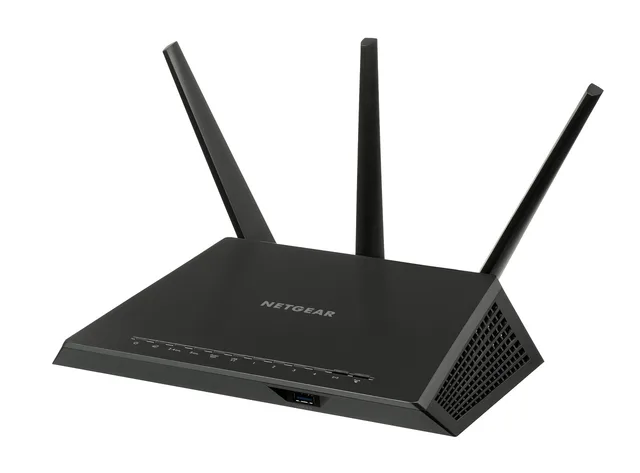
- Strength (RSRP).Reference signal received power, usually shown in dBm. Poor strength is a placement problem: move the router, add an external antenna, or get closer to a window.
- Quality (RSRQ and SINR).RSRQ indicates reference-signal quality, while SINR compares the wanted signal with interference and noise. Good strength with poor quality is common in dense areas and does not improve by moving closer to a window. Reporting and useful cutoffs vary by equipment and network, so compare readings on the same router over time.
Record both, with the time, before and after any change you make. Without a baseline you cannot tell whether the change helped. The radio mechanism behind these readings is described in 5G business internet.
A 5G router may use sub-6 GHz or millimeter wave (mmWave); mmWave has shorter range and is more affected by obstructions, while sub-6 GHz generally reaches farther. Some routers show whether the connection is non-standalone (NSA), which uses an LTE anchor with 5G, or standalone (SA), which uses a 5G core. These labels can help distinguish coverage and placement issues from changes in cell load; the details shown depend on the router.
| What you see | What it points at | First thing to try |
|---|---|---|
| Low strength, decent quality | Placement or obstruction | Move the antenna, then try an external one |
| Good strength, poor quality | Interference or cell edge conditions | Lock to a different band if the router allows it |
| Both good, throughput poor | Cell congestion or your priority tier | Measure by hour; this is not a placement fault |
| Everything good, connection drops | Router, power, or the provider's network | Check the router's log and the power feed |
The time-of-day test
Run a measurement every hour for a week and plot it. A service that is fine
overnight and poor at the end of the working day is sharing a busy cell. The fix is a different provider on a different cell, an external antenna aimed at another site, or accepting it and adding a second path.
Fixed wireless points a fixed antenna at a fixed site, so at least the path stops moving. The rest is the same shared-medium behavior: capacity divided among whoever is connected, which is why a single test at a quiet moment tells you almost nothing. The FCC's Measuring Broadband America program measures continuously for exactly this reason.
The shared address problem
Many cellular services use carrier-grade NAT (CGNAT), placing several customers behind one shared public address. The
symptoms are specific and easy to misread as a fault:
Shared address symptoms
- Outbound browsing and mail work
- No inbound remote access
- No inbound camera system
- No supplier connecting in
- Hosted phone misses inbound calls
- Resets do not repair it
None of that is repaired by a reset. Ask the provider whether it can assign a public IP address and whether a public static IP option is available; either may be paid, so confirm the price and terms. You can also use a service that reaches out from your network rather than waiting to be reached. The phone-side consequences are covered in voip systems.
Before you call the provider
Have these ready; the first reply asks for them:
- The radio readings, with times.
- Hourly throughput over several days, both directions.
- Whether the fault happens on a wired device as well as a wireless one.
- What changed recently, including anything in the building.
- Whether a second device on another network at the same spot behaves differently.
Point five is the strongest evidence you can gather. It is the fastest way to show that the problem is the cell rather than you.
FEMA's Ready.gov power outage guidance is worth reading alongside this: a cellular link survives a local power cut only if the equipment at your end has power.
Common questions
Should we lock the router to one band?
Only as a test, and only if the router supports it. It can help at a cell edge, and it can strand you on a band that gets busy.
Does an external antenna always help?
It helps with strength and often with quality. It does nothing about congestion, which is the more common complaint.
Is a reboot ever the answer?
It clears a stuck registration, a real fault, and it hides a pattern you needed to see. Log the state before you reboot.
Can we use two cellular services as a pair?
Only if they use different networks. Two services on the same cell fail together, which defeats the point of a second path. Which network a service rides on is one of the checks in provider comparisons.